











Quick Answer: What Makes the Best Photo for a Dog Phone Case?
The best photo for a personalised dog phone case is a clear, well-lit, front-facing shot taken at your dog's eye level in natural daylight. Your dog's eyes and nose should be sharp, the background should be simple, and the image should not be heavily cropped or blurry. A good smartphone photo taken outdoors on an overcast day will produce an excellent illustration every time.
The photo you upload is the single biggest factor in how your finished personalised dog phone case turns out. Below, we cover 10 specific photography tips, breed-by-breed advice, common mistakes to avoid, and exactly what the illustrator needs from your image.
Why the Photo Matters More Than Anything Else
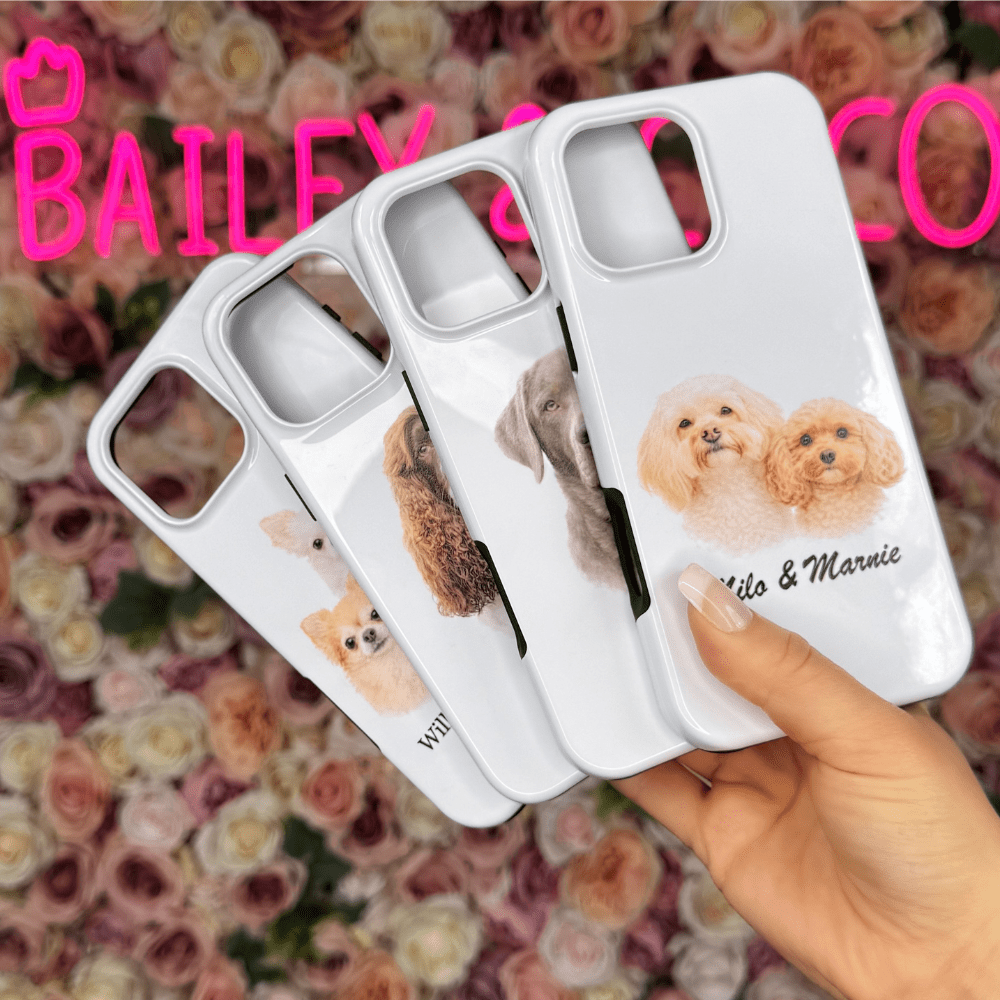
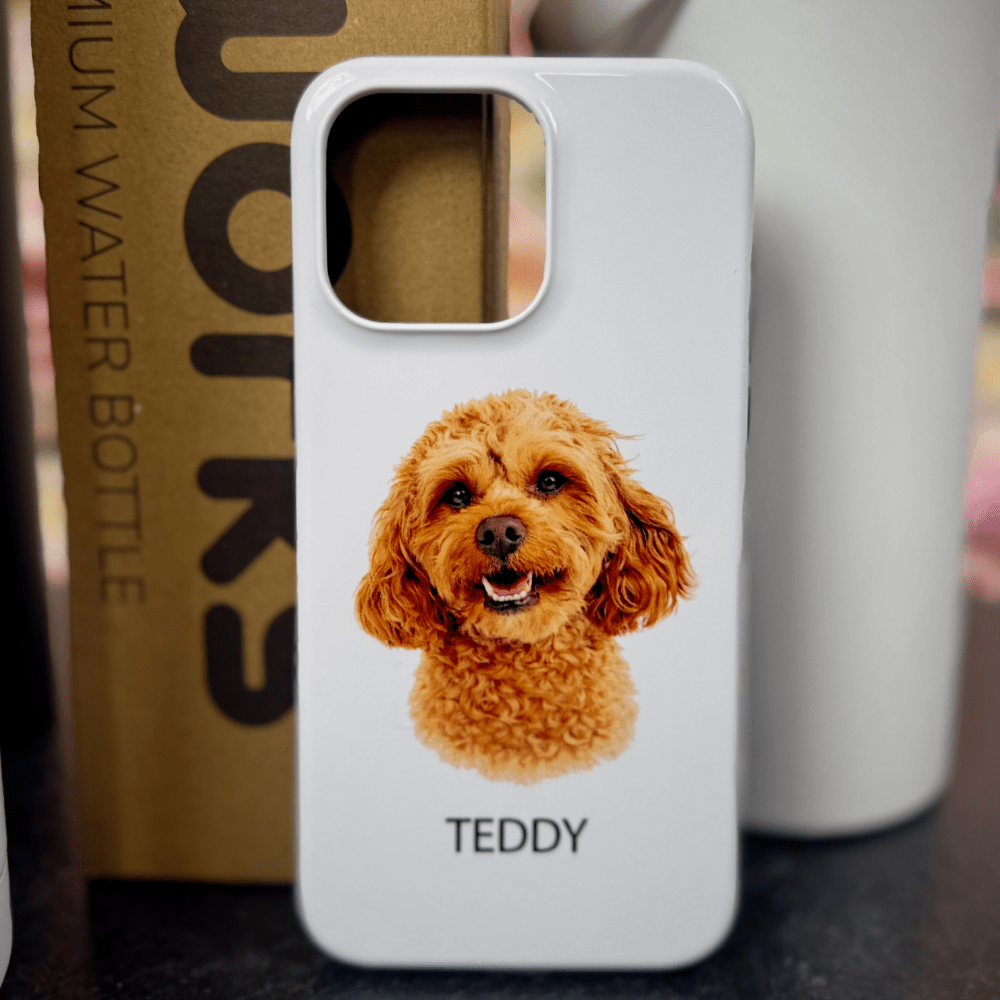
Your phone case illustration is created by hand from the photo you provide. The illustrator does not work from a generic breed template or a library of stock images. Every detail, from the specific shade of your dog's coat to the way their ears sit, comes directly from your upload.
A great photo gives the illustrator everything they need to capture your dog's unique personality. A poor photo limits what they can work with, even with free unlimited revisions. Spending two extra minutes getting the right shot will make a noticeable difference in your finished case.
The good news is that you do not need expensive equipment, professional lighting, or any photography experience. A smartphone and natural light are all it takes.
10 Expert Tips for Photographing Your Dog for a Phone Case
1. Use natural daylight
Natural light is the most flattering and accurate light source for dog photography. Shoot outdoors or near a large window. Overcast days provide soft, even lighting that eliminates harsh shadows. Avoid direct midday sun, which creates strong shadows under the eyes and nose.
2. Get down to their eye level
The most common mistake in dog photography is shooting from standing height. This creates a top-down perspective that distorts proportions and loses facial detail. Crouch, kneel, or lie down so your camera is level with your dog's eyes. This single change dramatically improves the quality of the portrait.
3. Focus on the eyes
The eyes are the most expressive part of any dog portrait. Tap your phone screen on your dog's eyes to lock focus there. If your dog's eyes are sharp and clear, the rest of the photo will usually work well. Blurry eyes cannot be fixed in illustration.
4. Keep the background simple
A plain wall, a garden fence, or an open field all work well. Busy backgrounds with other dogs, people, or clutter make it harder for the illustrator to isolate your dog's features. You do not need a studio backdrop, just avoid visual chaos.
5. Avoid flash photography
Camera flash flattens your dog's features, washes out coat colour, and often causes reflective eyes that obscure the natural eye colour. If you are indoors and the light is poor, move closer to a window rather than using flash.
6. Capture their natural expression
The best portraits come from photos where your dog looks like themselves. The alert head tilt, the relaxed smile, the curious ear prick. Use a treat or a squeaky toy to get their attention, but avoid over-exciting them to the point where they are a blur of movement.
7. Take multiple shots
Dogs do not hold poses. Take 10 to 20 photos in quick succession and choose the best one afterwards. Burst mode on your smartphone is ideal for this. You will almost always find one frame where the eyes are sharp, the ears are up, and the expression is perfect.
8. Fill the frame with your dog
Your dog should fill most of the photo. If they are a tiny figure in a landscape, the illustrator will not have enough detail to work with. You do not need a tight crop on just the face, but your dog should be the clear subject of the image.
9. Avoid heavy filters or editing
The illustrator needs to see your dog's true colours. Instagram filters, black-and-white conversions, or heavy contrast adjustments change the way colours appear and can lead to an inaccurate portrait. Upload the original, unedited photo.
10. Check the image is not blurry
Zoom in on the photo before uploading. Check that your dog's nose, eyes, and ears are crisp. Motion blur from a moving dog or camera shake from an unsteady hand will reduce the quality of the illustration. If the photo looks soft when you zoom in, take another.
Breed-Specific Photo Advice
Every breed has unique physical features that benefit from specific photography approaches. Here is tailored advice for the most popular breeds:
Dachshunds
Dachshunds have elongated bodies and expressive faces, but their low-to-the-ground build makes them particularly sensitive to camera angle. Always photograph a Dachshund from their eye level, not from above. A face-on or slight three-quarter angle captures their distinctive long snout and bright eyes without distorting proportions. Lying flat on the ground often produces the best results.
Cockapoos
Cockapoos have curly, textured coats that can obscure facial features if overgrown. For the best portrait, photograph your Cockapoo shortly after a groom when the face is visible and the coat has shape. Ensure the eyes are not hidden behind a fringe. If your Cockapoo has a longer coat, a gentle brush before the photo session helps the illustrator see the facial structure clearly.
Pugs
Pugs are best photographed face-on to capture their flat face, prominent eyes, and wrinkled forehead. Their expressive faces photograph well from almost any angle, but a straight-on shot gives the illustrator the most detail to work with. Pugs are prone to overheating, so avoid long outdoor sessions in warm weather.
French Bulldogs
French Bulldogs have distinctive bat ears and a broad, flat face. A face-on shot at eye level captures these features perfectly. Their short coats mean facial details are naturally visible, so lighting matters more than grooming. Avoid harsh overhead light that creates shadows in the facial wrinkles.
Cocker Spaniels
Cocker Spaniels have beautiful long ears and soulful eyes. A three-quarter angle shows off the ear length and feathering. Make sure the eyes are clearly visible and not in shadow. If your Cocker Spaniel has a working coat versus a show coat, the illustrator will capture whichever style your dog has.
Golden Retrievers
Golden Retrievers have flowing coats that look spectacular in golden hour light (the hour before sunset). A side-on or three-quarter angle shows the coat at its best, while a face-on shot captures their warm, friendly expression. Ensure the chest and facial fur are not tangled or wet.
Labradors
Labradors come in three colours, and each requires slightly different lighting. Black Labradors need bright, even light so the illustrator can see facial features against the dark coat. Avoid photographing black Labs in shadow or low light. Chocolate and yellow Labs are more forgiving, but all Labs benefit from outdoor natural light.
Cavapoos
Cavapoos have soft, wavy coats and large, round eyes. Like Cockapoos, photographing after a groom produces clearer facial definition. Ensure the eyes are not obscured by curls. Cavapoos tend to have very expressive faces, so capture that characteristic gentle, curious look they are known for.
Common Photo Mistakes to Avoid
Even great photographers make these mistakes when photographing their dogs. Avoid these and your portrait will be significantly better:
- Shooting from above: The number one mistake. It distorts your dog's proportions and hides their expression. Always get down to their level.
- Using flash indoors: Flash washes out coat colour and creates unnatural reflections in the eyes. Move to natural light instead.
- Uploading a heavily cropped image: Cropping reduces resolution. If you crop an already small image, the illustrator may not have enough pixel detail. Use the original file.
- Choosing a group photo: If there are multiple dogs in the shot, the illustrator needs to know which dog to focus on. A solo photo is always best for a single-dog portrait.
- Submitting a screenshot: Screenshots from social media or video are typically low resolution and compressed. Use the original photo file from your camera roll.
- Dark or backlit photos: If your dog is silhouetted against a bright window or sky, their features will be in shadow. Move so the light is behind you and falling on your dog's face.
What the Illustrator Needs from Your Photo
Understanding what the illustrator looks for helps you take a better photo. Here is what they need:
- Clear facial features: Eyes, nose, mouth, and ears all visible and in focus.
- Accurate coat colour: Natural lighting ensures the colours in your photo match real life.
- Unique markings: Any patches, spots, colour changes, or distinctive marks should be visible.
- Expression: The illustrator captures the personality in your dog's expression, so choose a photo that looks like them.
- Resolution: A standard smartphone photo (8MP or higher) provides more than enough detail. Avoid uploading tiny thumbnails or heavily compressed images.
The illustrator can work with imperfect photos. If your only photo of a lost or elderly dog is slightly blurry or taken in poor light, it is still worth uploading. The team will let you know if they need something different.
Smartphone vs Camera: Which Is Better?
For the purposes of a personalised phone case, a modern smartphone produces results that are just as good as a dedicated camera. Here is why:
- Resolution: Most smartphones from the past five years shoot at 12MP or higher. This is more than sufficient for the illustration process.
- Convenience: Your phone is always in your pocket. You can take 50 photos in a minute and choose the best one. With a dedicated camera, most people take fewer shots and miss the best expressions.
- Autofocus: Modern smartphone cameras have fast, accurate autofocus that tracks faces. This makes it easier to get sharp eyes, even on a moving dog.
- Portrait mode: If your phone has portrait mode, it can blur the background slightly, making your dog stand out. This is helpful but not essential.
If you do use a dedicated camera, shoot in JPG format and ensure the file is not larger than 10MB for upload. RAW files are not accepted.
What If You Only Have Old or Imperfect Photos?
Not every customer has the luxury of taking a fresh photo. If your dog has passed away, if you are ordering as a surprise gift, or if your dog is elderly and no longer as photogenic as they once were, you can still get a beautiful portrait.
The illustrators are experienced in working with older photos, slightly blurry images, and less-than-ideal lighting. As long as the key facial features are distinguishable, they can create a compelling illustration. Upload the best photo you have, and the team will advise you honestly about what is achievable.
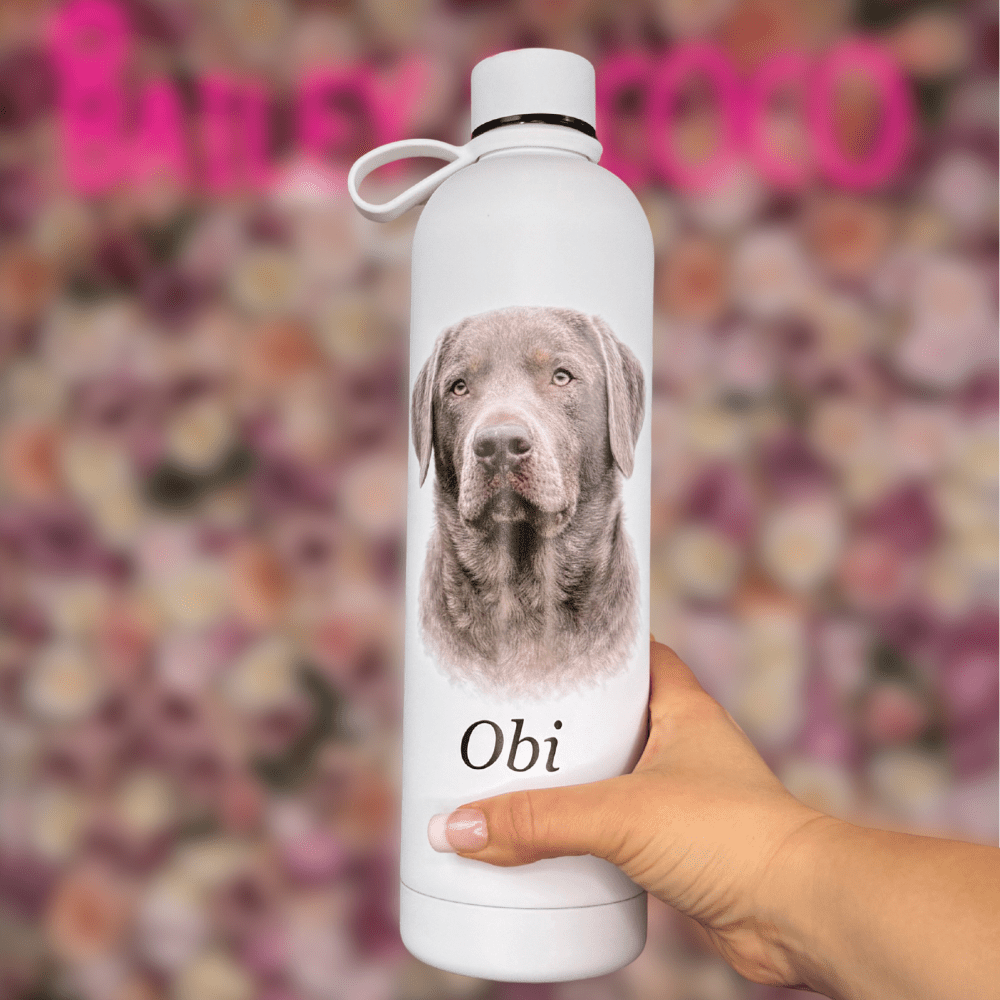
Memorial portraits from old photos are among the most treasured orders Bailey and Coco receive. A personalised water bottle with the same portrait makes a meaningful companion piece.
A Quick Checklist Before You Upload
Before you upload your photo, run through this quick checklist:
- Is the photo taken in natural daylight (not flash)?
- Is it taken at your dog's eye level (not from above)?
- Are your dog's eyes, nose, and ears clearly visible?
- Is the image sharp when you zoom in?
- Is it the original file (not a screenshot or heavily filtered version)?
- Does your dog's expression look like them?
If you can tick all six, your photo will produce an excellent illustration. If not, spend a few minutes retaking the shot. The improvement in the finished portrait is worth the effort.
Ready to get started? Visit the personalised phone case page and upload your photo. Your portrait proof arrives within 2 to 5 days, revisions are free and unlimited, and the finished case ships within 10 business days at just £30. For walking accessories to match, explore our dog walking bag guide and collar recommendations.
Frequently Asked Questions
What is the best angle to photograph my dog for a phone case?
Eye level, face-on. Crouch or kneel so your camera is at the same height as your dog's eyes. This captures facial features accurately without the distortion that comes from shooting downward. A slight three-quarter angle also works well for breeds with distinctive profiles.
Can I use a photo from social media?
It is better to use the original photo from your camera roll. Social media platforms compress images, which reduces resolution and can affect colour accuracy. If the original is no longer available, a social media version can work, but the quality may be slightly reduced.
Does my dog need to be looking at the camera?
Ideally, yes. A photo where your dog is looking directly at the camera produces the most engaging portrait. However, a three-quarter profile where one eye is visible can also look excellent, especially for breeds like Golden Retrievers where the side profile shows off the coat.
What if my dog will not sit still?
Use burst mode on your smartphone. Hold down the shutter button and take 20 to 30 rapid-fire shots. Sort through them afterwards and pick the sharpest frame. A squeaky toy or treat held just above the camera lens can help hold your dog's attention for a few seconds.
Can I photograph my dog indoors?
Yes, as long as you use natural light from a window. Position your dog near the largest window in your home, with the light falling on their face. Avoid using room lights or flash as the primary light source, as these create colour casts and harsh shadows.
How do I photograph a black dog?
Black-coated dogs need more light than lighter breeds. Photograph outdoors on a bright but overcast day, which provides even illumination without harsh shadows. Avoid dark backgrounds that cause your dog to blend in. A green garden or light-coloured wall provides contrast that helps the illustrator see facial details.
What file types can I upload?
JPG, PNG, and HEIC files are all accepted, up to 10MB in size. Most smartphone photos are already in one of these formats. Do not upload RAW files, PDFs, or screenshots.
Can I send multiple photos for the illustrator to choose from?
Yes. If you have several good photos and cannot decide, you can send them all and let the illustrator select the one that will produce the best result. This is often a good approach if you are unsure which photo has the best lighting or angle.
What if I want the illustrator to combine features from two photos?
This is possible in some cases. For example, if one photo has the perfect expression but another shows the markings more clearly, let the team know and they can discuss what is achievable. The portrait proof and free revisions process means you can refine the result until it is right.
Do I need to crop the photo before uploading?
No. Upload the full, uncropped original. Cropping reduces resolution and removes context that can help the illustrator. If your dog is clearly the main subject in the frame, the team will handle the rest.
New from Bailey & Coco
Browse our phone case collection - 24 bold designs for iPhone 14 to 17 Pro Max


